The alarm you can't snooze.
Sunstir keeps ringing until you finish a quick mission. Do 20 squats, solve some math, snap a selfie or go touch grass. By the time it's quiet, you're up.
Free to use. 20 of 36 missions included, no account needed.
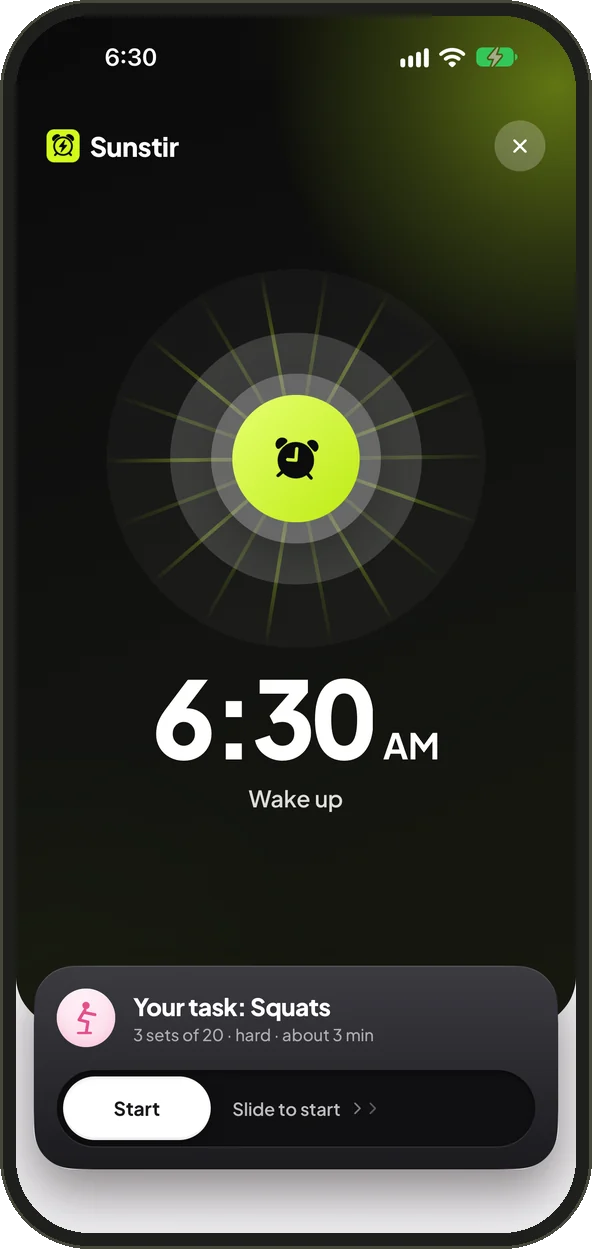
No snooze button. A finish line.
Take the 30-second quiz
Tell Sunstir how hard you are to wake up and what keeps you in bed. It builds your first alarm around you.
It rings. And rings.
Loud, persistent and impossible to swipe away. Still in bed after a minute? Sunstir switches to an air horn.
Finish the mission
Complete it and the alarm stops. You're up, you earned XP, and your streak just grew.
36 ways to get up. 20 are free.
Wake your brain, your voice or your whole body. Free missions are marked.
Mind
- Math
- Typing
- Memory
- Daily trivia
- Word scramble
- Reaction test
- Top priority
- Read a page
Voice
- Say it out loud
- Yell to stop
- Say something embarrassing
- Morning karaoke
- Korean phrase
- Hold a note
- Blow out the candles
Face
- Morning selfie
- Awake score
- Eyes wide open
- Smile check
Body
- Squats
- Push-ups
- Shake
- Dance break
- Jumping jacks
- Plank hold
- Stretch match
- Spin around
Out of bed
- Touch grass
- Walk it off
- Brush your teeth
- Make your bed
- Barcode scan
- Sunlight
- Scavenger hunt
- Photo match
- Drink water
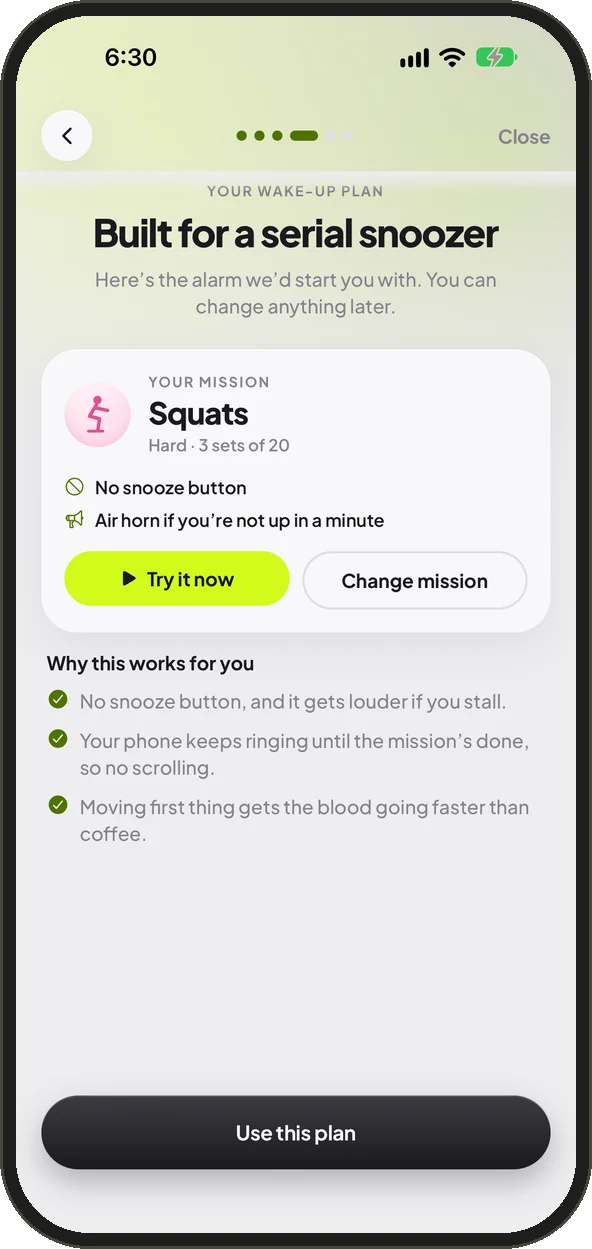
Built for how you actually wake up.
Three quick questions and Sunstir picks your mission, difficulty and backup plan. Serial snoozer? You get harder sets and the air horn. Easy riser? A gentle fade-in. Try it on the spot before you commit.
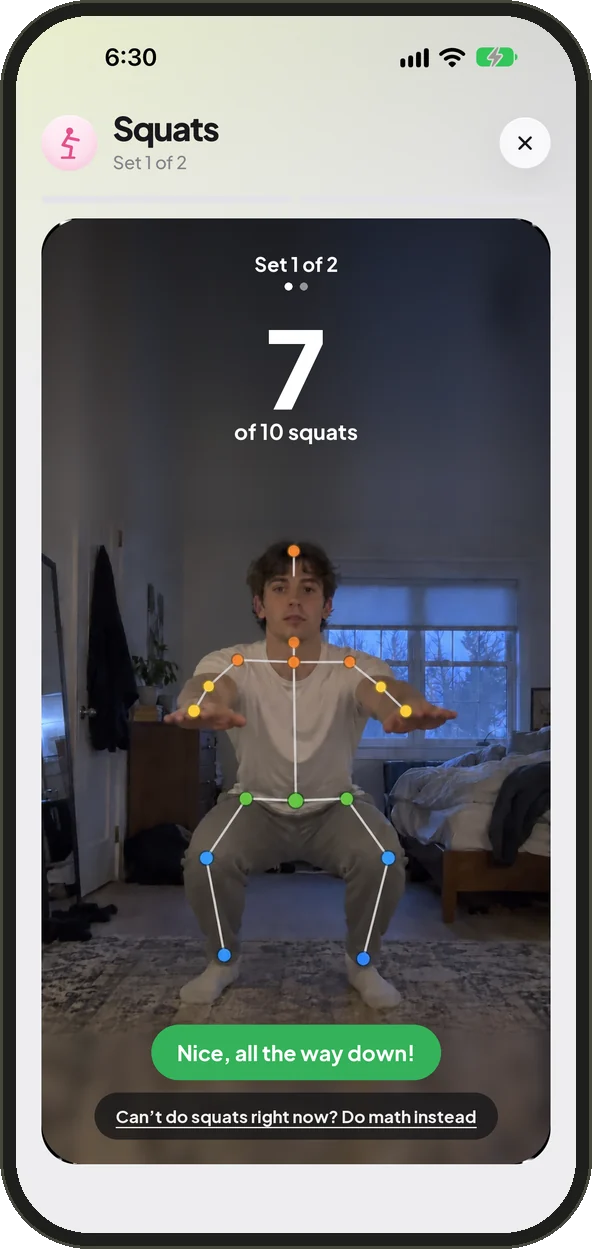
Squats count. For real.
Your camera counts squats, push-ups and jumping jacks, checks your smile and spots the grass you touched. It all runs on your phone. Nothing is uploaded or saved.
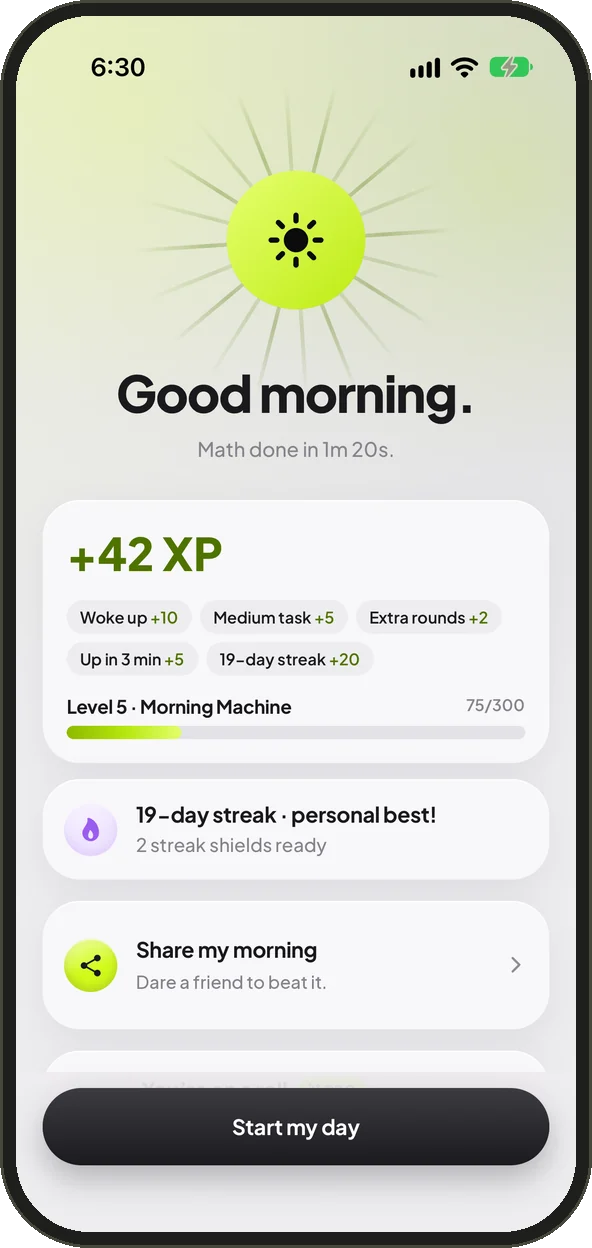
Watch your mornings add up.
Earn XP, level up and unlock trophies. Shields save your streak on a rough morning. Every Monday you get a recap of your week, and you can share a card or a replay of your wake-up.
Everything it takes to get up.
Rings like a real alarm
On iOS 26 it rings like the Clock app, even when Sunstir is closed. On Android it uses your alarm volume and opens over the lock screen.
Escalate
Not up after a minute? The alarm switches to an air horn. Try sleeping through that.
24 sounds
Classic beeps, gentle birdsong, pep talks, a disappointed parent, a sarcastic butler and pure chaos. Or use any song you own.
Touch grass in the dark
It's still dark at 6? Turn on the flashlight right from the mission and go find some grass.
Make it yours
App colors, glass themes and app icons, from Volt lime to Midnight. The whole app follows your pick.
Private by design
Camera and voice missions are checked on your phone. No account needed, no ads, and we never sell your data.
Free gets you up. Pro makes it yours.
The free version includes 2 alarms and 20 missions, from math and squats to touch grass. Pro unlocks everything.
- All 36 wake-up missions
- Unlimited alarms
- Every alarm sound, plus your own songs
- App colors, themes and app icons
- Deeper morning insights
Yearly Save 50%
Monthly
Weekly
Prices in USD and may vary by country. Subscriptions renew automatically until cancelled. Cancel anytime in your App Store or Google Play settings. See our Terms of Use.
Questions
Does Sunstir ring if the app is closed?
Yes. On iPhone with iOS 26 or later, Sunstir uses Apple's alarm system, so it rings like the built-in Clock app, even on silent and with the app closed. On older iPhones, a closed Sunstir alerts you with repeated notifications (these follow your ringer switch), so for the loudest wake-up leave it open on your nightstand. On Android it rings like a built-in alarm, on your alarm volume, even on silent.
Is the camera recording me?
No. Camera missions like squats or touch grass are checked on your phone in real time. Nothing is uploaded, and nothing is saved unless you take a morning selfie, which stays on your device.
What if I can't do the mission?
Pick a different mission or an easier difficulty when you set your alarm. There are 36 to choose from, including quiet ones like math and trivia. Camera missions also offer a math fallback if you really can't do them that morning.
Do I need an account?
No. Sunstir works without signing up. Your Pro subscription belongs to your Apple or Google account, so you can restore it on a new phone with "Restore purchases".
How do I cancel Pro?
Subscriptions are handled by Apple and Google. Cancel anytime in your App Store or Google Play subscription settings, and you'll keep Pro until the end of the period you paid for.
I need help. Who do I contact?
Email us at support@sunstir.app. We read everything.